

Your region’s author submission URL is: https://indieauthorproject.librariesshare.com/washington

This is the website you will direct authors to for any author-related promotion or communication. Use this URL to add to your website, link to your promotional images, post to social media, and send emails.

Promotional Content

We have a variety of images readily available to help with the promotion of this year’s contest. Below, you’ll find all of the “For Use on the Web” images that you can click through and download individually.

The following logos are formatted to be used only on the web. They’re perfect for your website, social media, emails, and more.

To download a web image, click the “Download” button, then right-click on the image, and choose “Save Image As”.

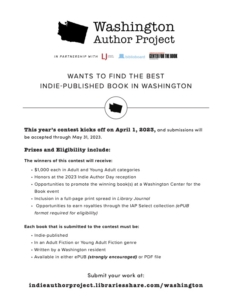
The following flyer and poster were formatted to be used only on the web. They’re perfect for your website, social media, emails, and more.

To download the PDF, click the “Download” button, then right-click on the image, and choose “Save As”.

The following graphics were created to be used only on the web. They’re perfect for your website, social media, emails, and more.

To download a web image, click the “Download” button, then right-click on the image, and choose “Save Image As”.

Use this blurb to go along with social media graphics to help promote the contest in your region:

Attention #WashingtonWriters! Are you an indie author of adult or YA fiction? The Washington Author Project is looking to find the best indie-published fiction book in Washington! Find out more about how you can submit your work: https://indieauthorproject.librariesshare.com/washington
#WashingtonAuthorProject

Additional Content

In addition to the web files, we’ve also provided you with “For Use in Print” files. You can also use the “Download all files” option to easily access everything available to you. If you have any questions, please contact support@biblioboard.com.